A real flamenco cajón, under your fingers
Cajón Studio turns your phone into a cajón. Every stroke is a recording of a real flamenco cajón, triggered the moment your finger lands — with grooves to play along to, lessons that listen to your timing, and a studio to record and share what you play.


Free to play. No account. Works offline.
Recorded, not synthesised
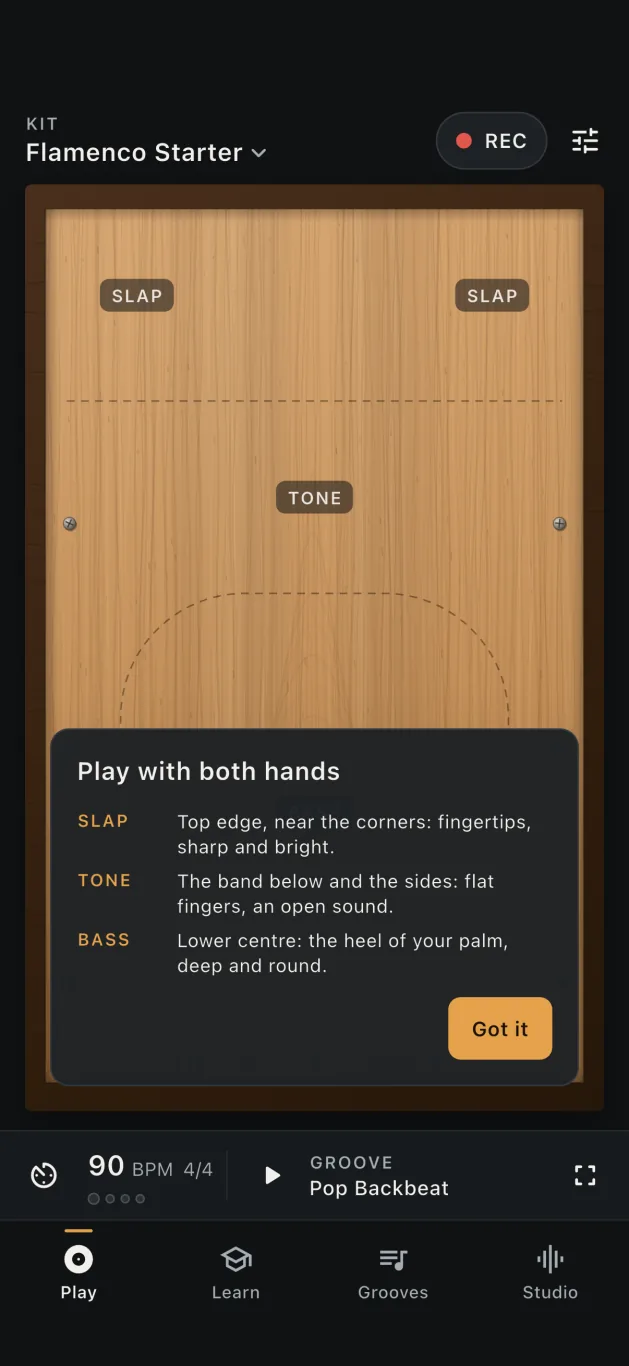
The sound is a real flamenco cajón, recorded stroke by stroke by the FreePats project. Repeated strokes rotate through different takes, so a run of bass notes never sounds like one sample on a loop.
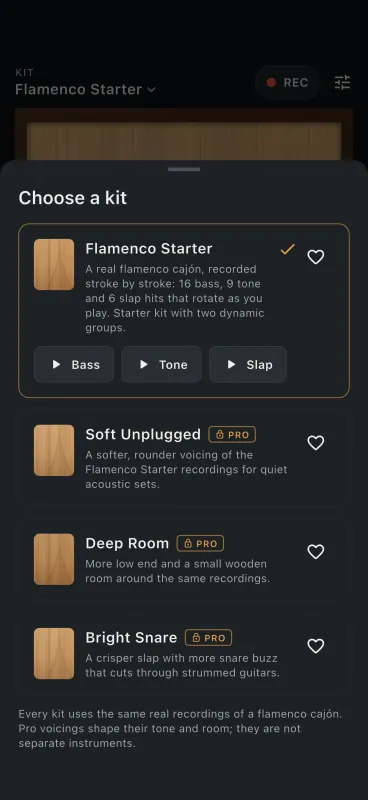
- 16 bass, 9 tone and 6 slap strokes that rotate as you play.
- Sound on touch-down through a native low-latency engine — Oboe on Android, AVAudioEngine on iOS.
- Multi-touch with both hands, the way a cajón is played.
- Touch dynamics from the size of your finger contact. Phones cannot measure force, so this is an honest approximation, and you can turn it off.
- Roll mode for held rolls, and performance mode for a full-screen drum.
- Bass, tone and slap levels and tapa tuning you can adjust, and support for MIDI pads and keyboards.
Pro adds three more kit voicings. They are tone presets of the same recordings — softer, roomier or brighter — not separate instruments.
Lessons that listen to your timing
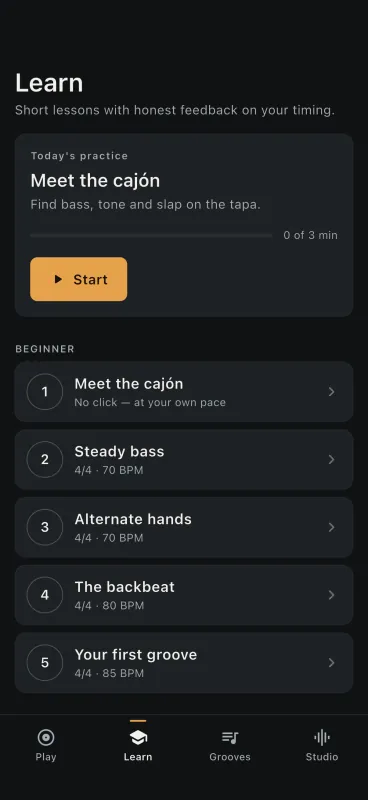
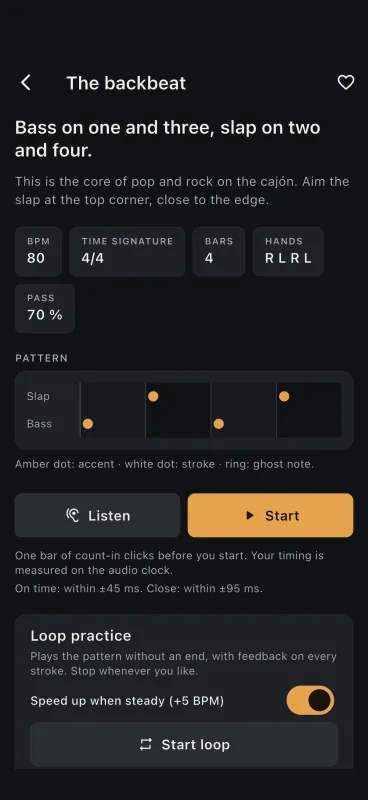
26 lessons in four chapters: Foundations, Time & subdivision, Grooves with the band, and Speed & control. Every stroke is scored against the audio clock, so the feedback is about your hands, not the screen.
- Four kinds of lesson: find the stroke, with the click, play-along, and call & response.
- Play-along: nylon Spanish guitar and percussion play with you, and only your cajón strokes are scored.
- Call & response: the app plays one bar, you play it back in the next, scored on the audio clock.
- Early or late — every stroke gets feedback, not just a pass or fail.
- Loop practice that speeds up when you play steadily.
- Timing calibration for your device and headphones.
- An optional daily streak, if that keeps you going. Off is fine too.
A band-mate that keeps time
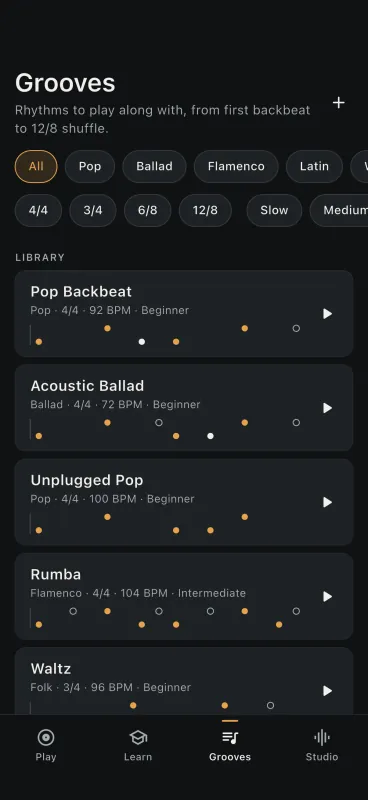
Twelve grooves to play along to, from a first backbeat to a 12/8 shuffle and flamenco-flavoured patterns. Each one has a fill, a break and an ending, cued on the next bar line.
- Metronome from 40 to 240 BPM, with tap tempo and a count-in.
- 4/4, 3/4, 6/8 and 12/8 time signatures.
- Beat Designer (Pro) to build and save your own grooves.
- Nylon guitar backing under the grooves — recorded Spanish classical guitar from FreePats (CC0) — and downloadable groove packs.
Record the cajón, not the room
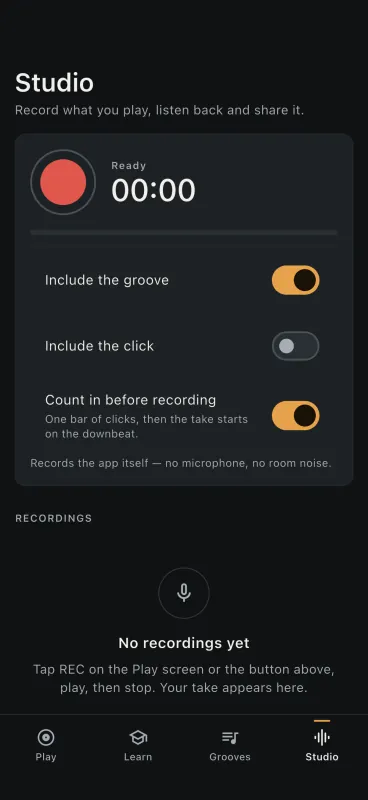
The studio records the app’s own mix — no microphone, no room noise, no phone-speaker rattle. Listen back, then share it as audio or as a short video.
- Count-in before the take, and the choice to include the groove and the click.
- Export as WAV or M4A, or as a visualizer video for social posts.
- Trim silence and normalise into a tidy copy (Pro). The original stays untouched.
- Save stems (Pro): separate cajón and backing WAV files.
Made to be practised with
Low latency, honestly
Sound starts on touch-down in a native engine. Bluetooth headphones add a delay of their own; the app says so and lets you calibrate.
Works offline
Playing, lessons, grooves and recording run on the device and need no connection. Ads in the free version and purchases do.
No account
Nothing to sign up for. Your progress, grooves and recordings live on your phone.
17 languages
The app follows your device language, or you can choose one in Settings.
Performance mode
Hide everything but the drum when you play along to a song or with friends.
Timing you can trust
Lessons are scored on the audio clock, after a calibration step that accounts for your device and headphones.
Free to play. Pay once if you want more.
The free version is a complete instrument. Pro is a one-time purchase — no subscription — that adds more to play and practise.
Cajón Studio
- The Flamenco Starter kit
- Metronome with tap tempo and count-in
- Recording and sharing
- The 8 Foundations lessons
- 5 grooves
- Ads — never on the playing screen, in lessons or while recording
A separate one-time “Remove ads” purchase is available if ads are all you want gone.
Cajón Studio Pro
- 3 more kit voicings of the same recordings
- 7 more grooves and the Beat Designer
- 18 more lessons
- Studio tools: trimmed and normalised copies, and stems
- No ads
Bought through the App Store or Google Play; the local price is shown before you buy. No renewal. A short optional video ad on the Pro screen can unlock Pro for 15 minutes.
What you play stays on your phone
There is no Cajón Studio account and no server of ours holding your data. Settings, lesson progress, your grooves and your recordings are stored on your device, and recordings leave it only when you share them. Diagnostics are off until you switch them on. The free version shows Google AdMob ads, with a consent choice where the law requires it.
Sit down, and play
Cajón Studio is now available on the App Store. Download it for iPhone and iPad. Coming soon to Google Play.